
The ten decisions in a first Kakobuy Spreadsheet order, on one switchboard
Flip the switches for the choices you plan to change. The panel models dated service charges, keeps currencies separate, and highlights the checks that come with each choice.
First-order switchboard
The switches start off as a neutral planning scenario. Turn on the choices you want to compare. Service examples use help-centre prices read on October 10, 2026. The PayPal rate starts at the 3.5% example; another official article lists 2.9%. Enter the percentage shown at your checkout. The fixed US$0.30 remains in this model.
What your switches mean
- Turn on a switch to see its effect.
Published fee references, not added together here: ¥8 packaging consumables and a customs declaration cost of generally ¥8 per parcel. Kakobuy lists them in two different help articles and never says whether they are one fee or two. Freight itself comes from the official estimator.
How to use this calculator: reading the switchboard
The panel has three result tiles. The first adds up every optional service you switched on, in yuan, because Kakobuy prices all of them in yuan: ¥5 per order for priority purchase, ¥2 per extra photo, ¥18 for pre-packing, and ¥10 per order for each 30 days of storage beyond day 100. The second models your selected PayPal percentage plus US$0.30 in dollars. The official October 10 help snapshot contains both 3.5% and 2.9% figures, so enter the percentage shown in your actual checkout. Turn on switch 2 and it drops to zero.
The third tile is the chargeable weight: the larger of your packed weight and the box volume divided by the divisor you picked. The list underneath spells out what each switch commits you to, including the two deadlines that cost nothing to meet and a great deal to miss.
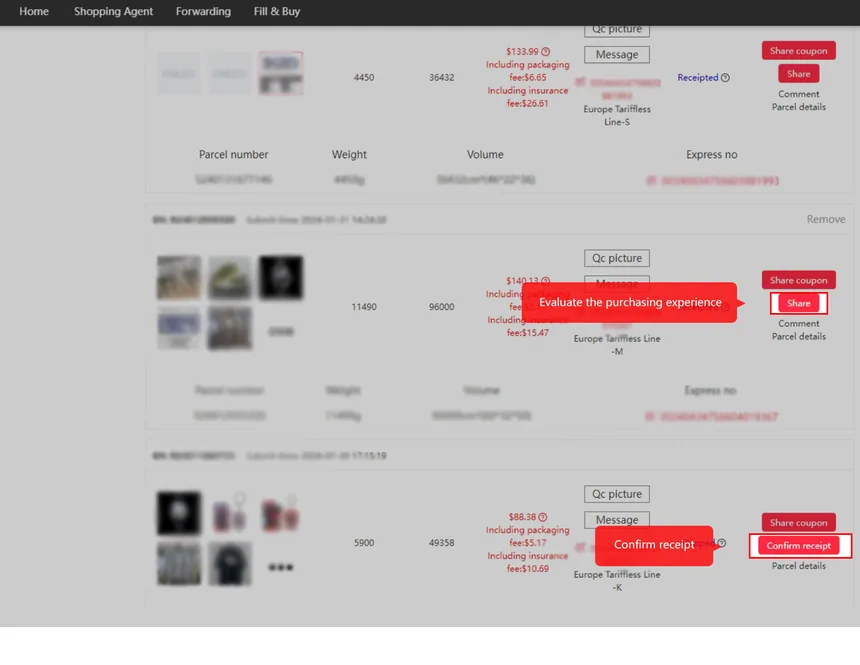
Which decisions lock early and which stay open
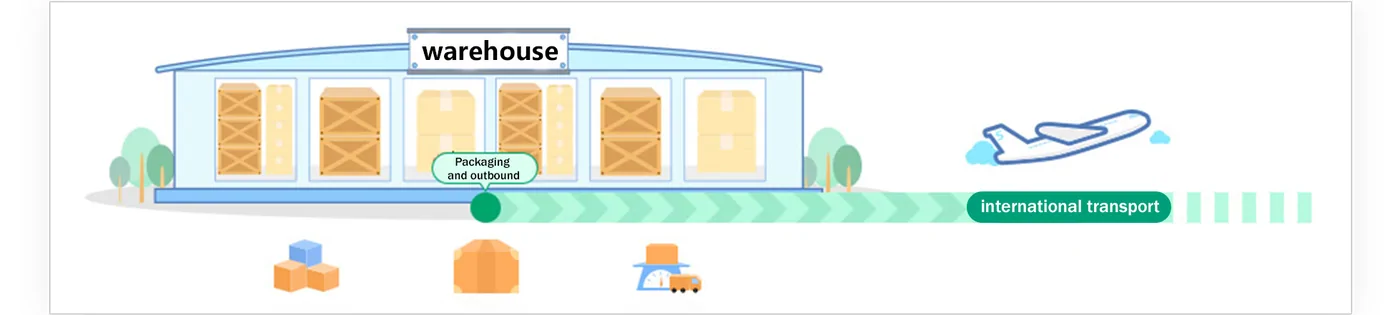
Four of the ten are made before the item is even bought. Two can wait until the goods sit in the warehouse. Three are fixed the moment you submit the parcel, and the last one is made on your doorstep in about ten seconds. The table puts the lock point next to each default.
| No. | Decision | Planning starting point | Locked when |
|---|---|---|---|
| 01 | Link to paste | Automatic reader for Taobao, Tmall, 1688, JD | You pay for the item |
| 02 | Top-up channel | PayPal example; compare available payment methods | Before checkout |
| 03 | Priority purchase | Off | Order submission |
| 04 | Extra photos | Off (standard inspection photos only) | Any time after stock-in |
| 05 | Waiting time | Pack when items are ready | Day 100 of free storage |
| 06 | Pre-packing | Off | Before freight is paid |
| 07 | Shipping line | A line you select after checking its rules | Parcel submission |
| 08 | Insurance | Off | Parcel submission |
| 09 | Declaration | Kakobuy declares on duty-free lines | Parcel submission |
| 10 | Signing | Sign on arrival | The moment you sign |
Decisions made before you pay for the item
The link you paste, the way you fund your balance, and whether you tick priority purchase all happen on the order screen. None of them can be changed afterwards without cancelling the order, and Kakobuy's cancellation rules get stricter the further an order has travelled: a paid order can be cancelled through support, a processing order goes back to your balance, and an order the seller has mailed depends on the seller.
Extra photos are the exception in this early group. You can buy them any time after the item is stocked in, which is why the switchboard treats them separately from the order-screen switches.
Decisions you can still change at the warehouse
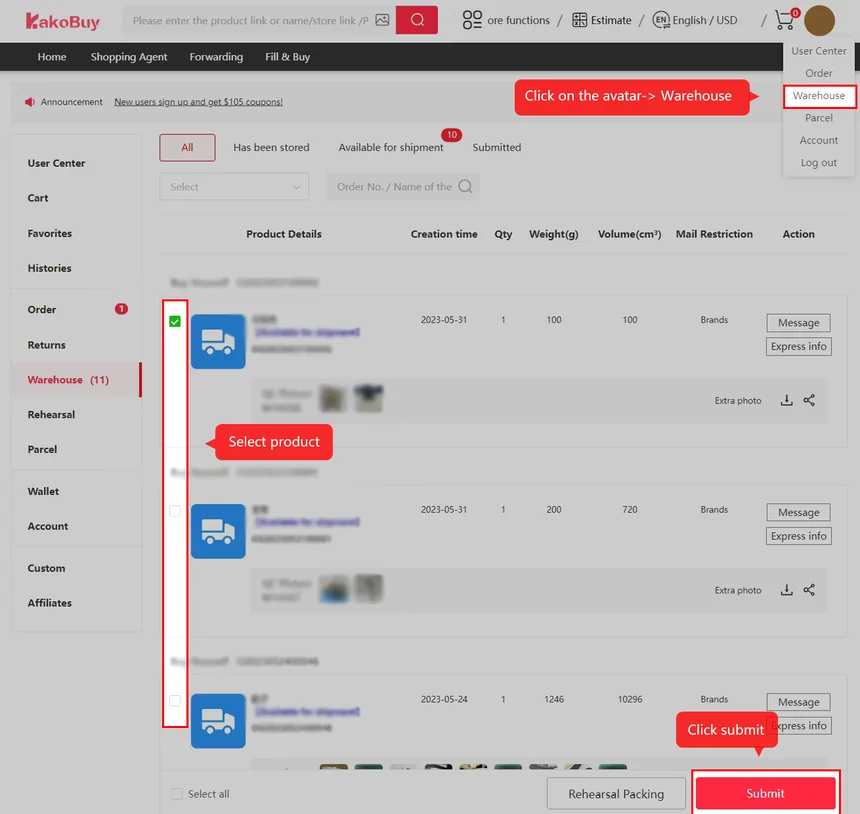
Once the goods arrive, the clock that matters is storage. You have 100 days free from the moment an item shows as in storage, and Kakobuy emails a reminder at day 90. Within that window you can wait for more items, buy pre-packing, add photos, or change your mind about vacuum bags and fragile wrapping.
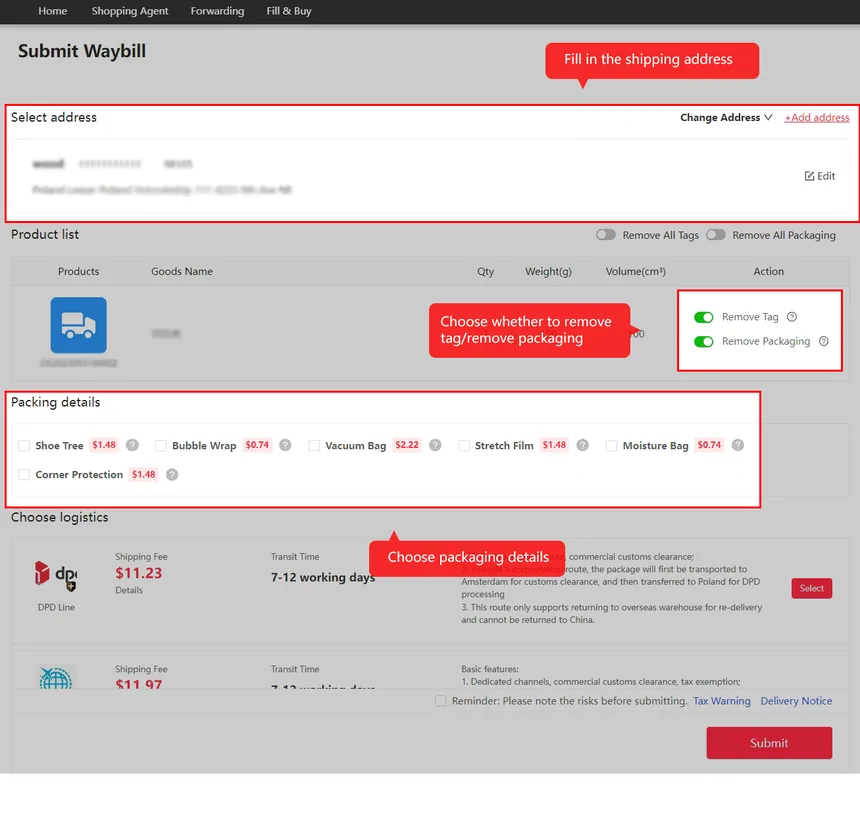
The submit-waybill screen is where the warehouse window closes. Address, line, packing options, insurance and declaration all sit on that one form, so the switchboard groups switches 6 to 9 the way the form does.
Three things people ask about the switchboard
Do these settings guarantee that an order will arrive
No calculator setting guarantees delivery. An order still needs a supported product, completed payment, an eligible line and a correct address. Review each choice on the official order and parcel screens.
Does the switchboard know today's freight prices
No, and it does not pretend to. Line prices move, so it computes the chargeable weight and leaves the price to Kakobuy's estimator.
Why are amounts in yuan and dollars separately
Kakobuy prices services in yuan, PayPal charges in dollars, and the conversion rate you get depends on your channel. Mixing them would mean inventing a rate.
Put it into practice
This tool models choices, not an automatic order
- The switches are planning inputs. They do not change your Kakobuy account or buy a service; select the services separately in the official checkout.
- The unit prices are the dated source snapshot shown on this page. Confirm each current fee before paying, particularly storage, packing and payment charges.
- Box dimensions must be in centimetres and weight in grams. The larger actual or volumetric weight is a planning comparison; each line may round it differently or use actual weight only.